

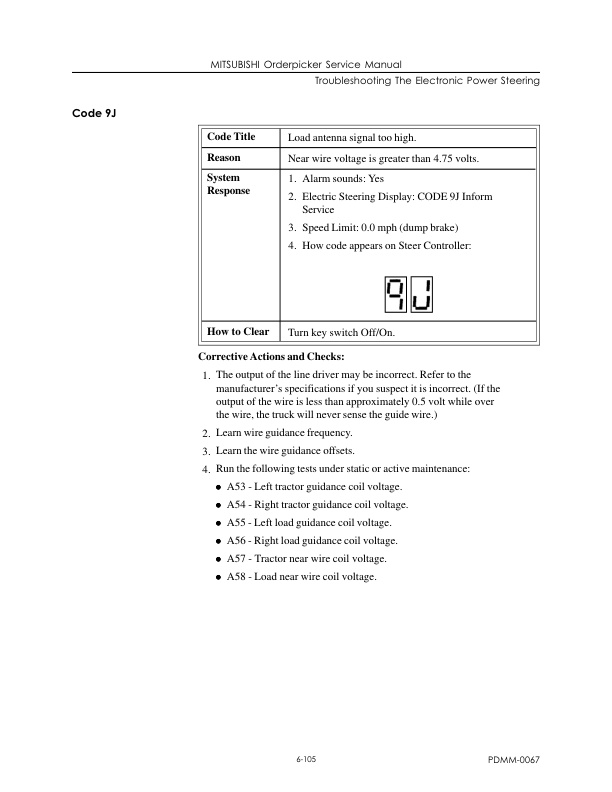
Mitsubishi EOP15P Forklift Service Manual
$50.00
- Type Of Manual: Service Manual
- Number of Pages: 405
- Size: 6.7MB
- Format: PDF
Product details
-
Model List:
- EOP15P Forklift
- 1. APPENDIX
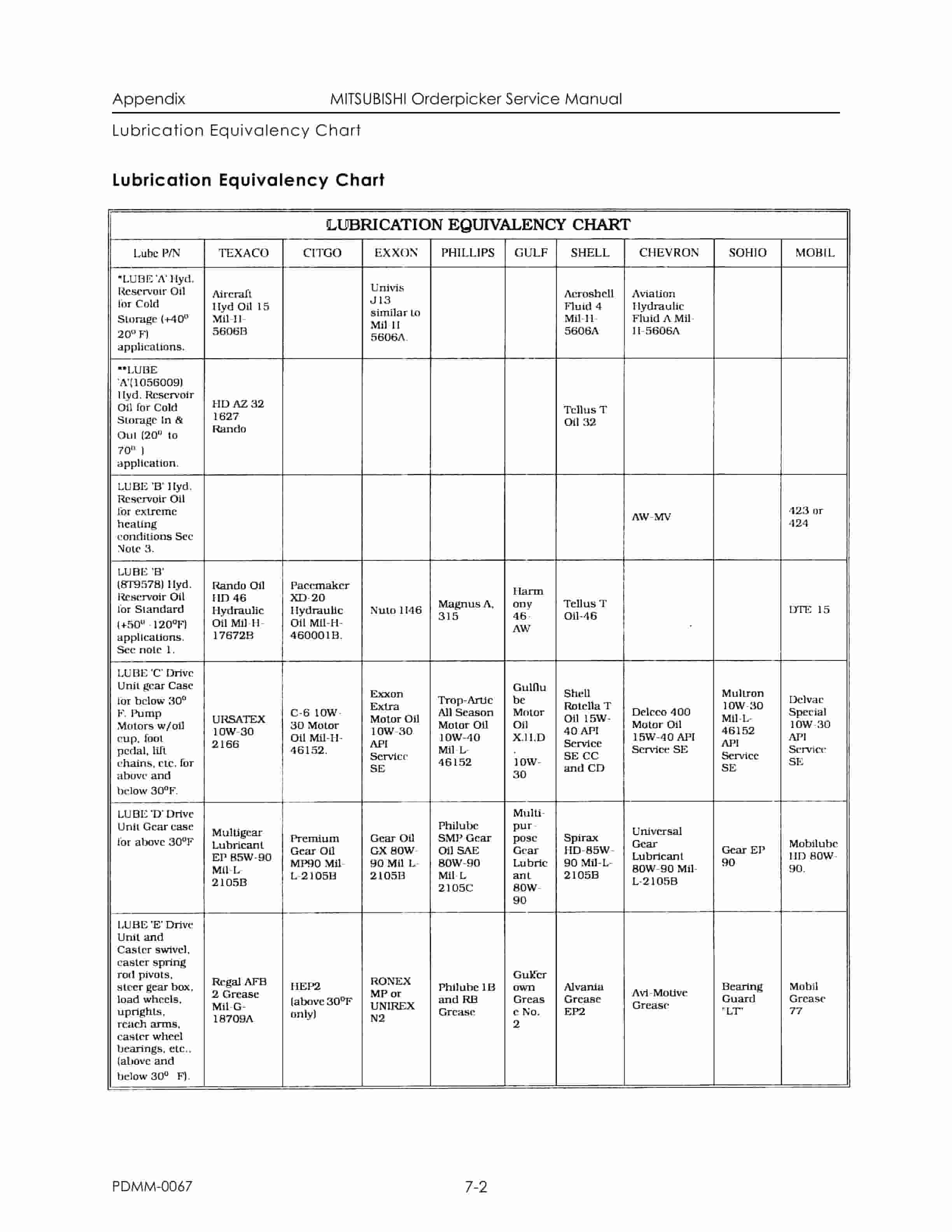
- 1.1. Lubrication Equivalency Chart
- 1.2. Standard Torque Data For Bolts
- 1.3. Conversion Table
- 1.4. Schematic – Electrical
- 1.5. Schematic – Hydraulic
- 1.6. Decal Replacement
- 1.7. Pin-By-Pin Description/Function
- 1.8. Fault Codes/Component Associatiion
- 1.9. Brush Replacement
- 2. DESCRIPTION
- 2.1. Truck Overview
- 2.1.1. Capacity
- 2.1.2. Controls
- 2.1.3. Indicators
- 2.2. Vehicle Specifications
- 2.3. Specification Plate
- 2.4. Mechanical
- 2.4.1. Chassis
- 2.4.2. Mast Assembly
- 2.4.3. Operators Compartment
- 2.4.4. Steering
- 2.4.5. Drive Unit
- 2.5. Hydraulic
- 2.5.1. Lift/Lower System
- 2.6. Electrical
- 2.6.1. General
- 2.6.2. System Displays
- 2.6.3. Electronic Control System
- 2.6.4. Travel System
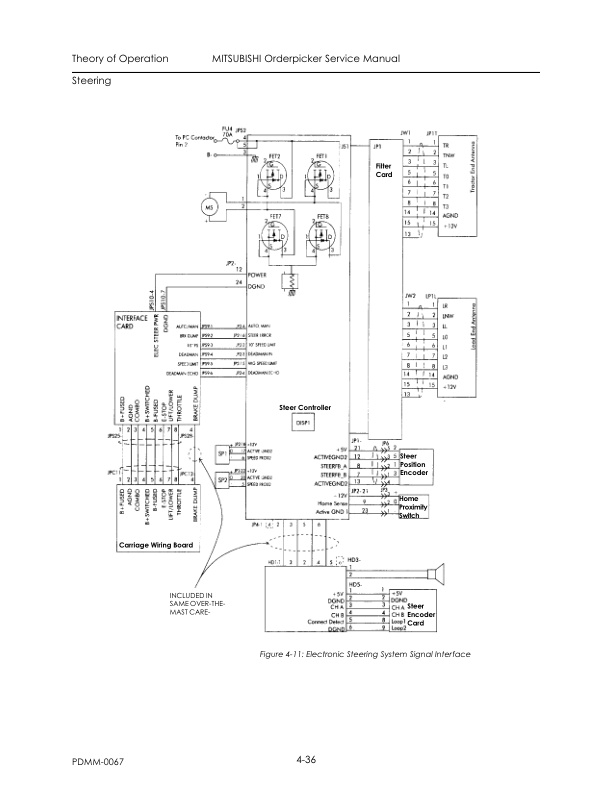
- 2.6.5. Electric Steering
- 2.6.6. Options
- 3. MAINTENANCE
- 3.1. General Maintenance Instructions
- 3.1.1. Maintenance Practices
- 3.1.2. Jacking Truck
- 3.1.3. Welding Procedures
- 3.1.4. Electrostatic Discharge Damage
- 3.1.5. Shunt Locations
- 3.2. Planned Maintenance
- 3.2.1. Introduction
- 3.2.2. Maintenance Manual
- 3.2.3. Planned Maintenance Schedule
- 3.2.4. Time Requirements
- 3.2.5. Inspection Schedule
- 3.3. Batteries
- 3.3.1. Battery Cleaning
- 3.3.2. Battery Electrical Leakage To Frame Test
- 3.3.3. Battery Discharge Indicator (BDI)
- 3.3.4. Battery Charging
- 3.3.5. Motor Cleaning
- 3.3.6. Brush Care
- 3.3.7. Motor Overheating
- 3.3.8. Motor Stud Terminals
- 3.3.9. Motor Test for Open Circuits
- 3.4. Hydraulic
- 3.4.1. Oil Selection
- 3.4.2. Changing Reservoir Fluid
- 3.4.3. Changing Reservoir Filter
- 3.4.4. Bleeding Hydraulic System
- 3.5. Adjustment and Repair
- 3.5.1. Power Section
- 3.5.2. Lift/Lower System
- 3.5.3. Steering
- 4. OPERATING INSTRUCTIONS
- 4.1. EV100LX Operator System Display
- 4.1.1. Display Test
- 4.1.2. Hour Meter
- 4.1.3. Battery Discharge Indicator
- 4.1.4. Status Codes
- 4.1.5. Informational Messages
- 4.1.6. Performance Limiting Codes
- 4.1.7. Fault Codes (For trucks with electronic power steering and wire guidance)
- 4.1.8. Audible Alarm (For trucks with electronic power steering)
- 4.2. Operators Daily Checklist
- 4.2.1. Visual Checks
- 4.2.2. Operational Checks
- 4.2.3. Start Up Procedure
- 4.2.4. Forward/Reverse Travel
- 4.2.5. Braking
- 4.2.6. Plugging
- 4.2.7. Parking
- 4.3. Electronic Power Steering Modes of Operation
- 4.3.1. Run Mode
- 4.3.2. Configure Mode
- 4.3.3. Maintenance Mode
- 4.3.4. Learn Mode
- 4.3.5. Piezo Sounder
- 4.3.6. Passwords
- 4.3.7. Entering CONFIG or MAINT Mode
- 4.3.8. Configure Mode
- 4.3.9. Maintenance Mode
- 5. THEORY OF OPERATION
- 5.1. EV100LX Control Panel
- 5.1.1. System Components
- 5.1.2. Control Features
- 5.1.3. Basic SCR Controller Circuit Operation
- 5.1.4. Wiring Conventions
- 5.1.5. Operation of The Travel System
- 5.2. Lift/Lower System
- 5.2.1. System Overview
- 5.2.2. Unique System Features
- 5.3. Braking
- 5.3.1. Process
- 5.4. Steering
- 5.4.1. Manual Cable Steering
- 5.4.2. Electronic Power Steering
- 5.4.3. Electronic Power Steer System (Optional)
- 5.5. Wire Guidance
- 5.5.1. System Concept
- 5.5.2. Warehouse Installed Equipment (WIE)
- 5.5.3. Truck Installed Equipment (TIE)
- 5.6. Rail Guidance
- 5.6.1. Auto Steer Centering Description
- 5.6.2. Sequence of Operation
- 6. TROUBLESHOOTING
- 6.1. Introduction
- 6.2. Codes and Tests
- 6.2.1. Troubleshooting Procedure
- 6.2.2. Electrical
- 6.2.3. Hydraulics
- 6.3. Troubleshooting EV100LX Control System
- 6.3.1. Handset
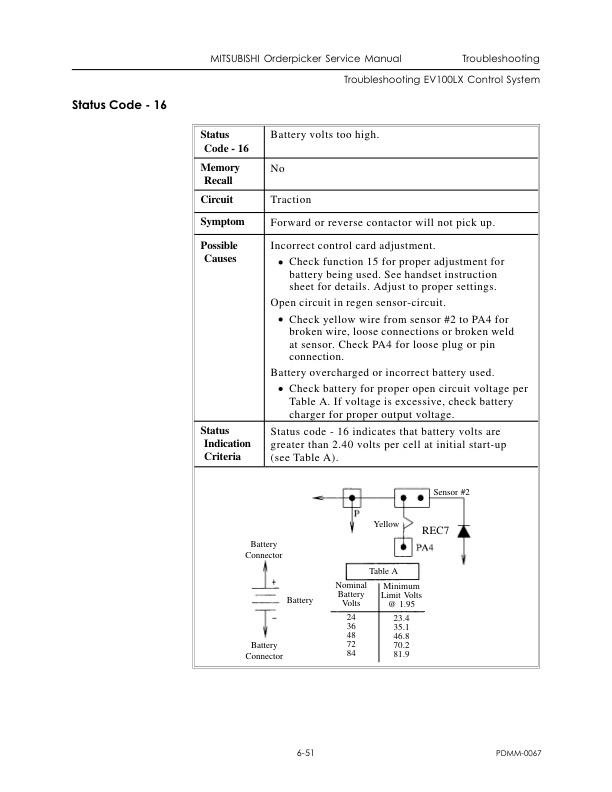
- 6.3.2. GE Status Codes
- 6.4. Troubleshooting The Interface Card System
- 6.4.1. LEARN (Interface Card Setup) Procedure and Troubleshooting
- 6.4.2. Initial Precautions
- 6.4.3. Setup Procedure
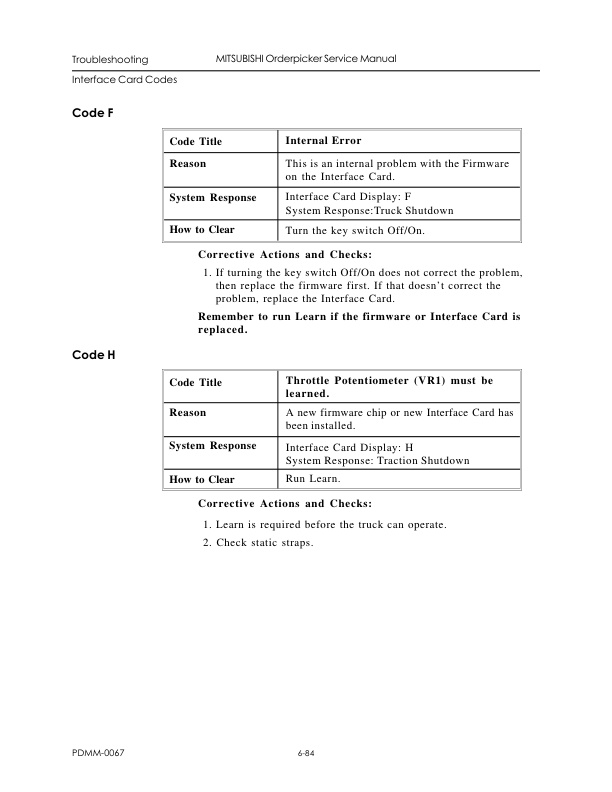
- 6.5. Interface Card Codes
- 6.6. Troubleshooting The Electronic Power Steering System
- 6.6.1. Maintenance Mode – Static
- 6.6.2. Maintenance Mode – Active
- 6.6.3. Electronic Power Steering Systems
- 6.7. Analog Input Tests
- 6.8. Digital Input Tests
- 6.9. Digital Output Tests
- 7. UNPACKING AND INSPECTION
- 7.1. Receiving Truck
- 7.1.1. Reasons For Visual Inspections
- 7.1.2. What to Look For
- 7.1.3. Visual Inspection/Conditions
- 7.2. Installation Procedure
- 7.2.1. Cradled Trucks
- 7.2.1.1. Visual Inspections
- 7.2.2. Uncradling
- 7.2.2.1. Uprighting a Cradled Vehicle
- 7.2.2.2. Procedure 1
- 7.2.2.3. Procedure 2
- 7.2.3. Gasket Removal
- 7.2.4. Greasing Mast Uprights
- 7.2.5. Battery
- 7.2.5.1. Battery Charger
- 7.3. Functional Inspection
- 7.3.1. Vehicle Operation
- 7.3.2. Warranty
- 7.3.3. What To Look For
- 7.3.4. Functional Installation Checklist
- 7.4. Cold Storage Conditioning
- 7.4.1. Types of Oils
- 7.4.2. Classes of Cold Storage
- 7.4.3. Hydraulic System Oil Change Procedure
- 7.5. Storage
- 7.5.1. Storage Warranty
- 7.5.2. Hydraulic System
- 7.5.3. Hydraulic Cylinders
- 7.5.4. Lift/Steering Chains
- 7.5.5. Electronics
- 7.5.6. Battery
- 7.5.7. Greasing Mast Uprights
- 7.5.8. Vehicle – General
- 8. WARNING PAGES
- 8.1. Warning Pages
- 8.2. Manual Overview
- 8.3. Using the Manual
Related products
-
Mitsubishi GM 4.3L (G6) Fuel System Supplement Service Manual 99789-74111
$50.00 Add to cart -
Mitsubishi 1204E Diesel Engine Service Manual SMEEA-AF15E-200
$50.00 Add to cart -
Mitsubishi 1204E Diesel Engine Operation and Maintenance Manual Service Manual 99799-56105
$50.00 Add to cart -
Mitsubishi 4G63, 4G64 Gasoline Engine Service Manual 99729-14110
$50.00 Add to cart -
Mitsubishi FB16NT, FB18NT, FB20NT Chassis, Mast and Options Service Manual 99719-78100
$50.00 Add to cart
%20Fuel%20System%20Supplement%20Service%20Manual%2099789-74111&url=https://ownersmanualpdf.net/docs/mitsubishi-gm-4-3l-g6-fuel-system-supplement-service-manual-99789-74111/&media=https://ownersmanualpdf.net/wp-content/uploads/2025/10/mitsubishi-gm-43l-g6-fuel-system-supplement-service-manual-99789-74111-1.jpg)


