
,%20FB25AN(-SP),%20FB30ACN(-SP),%20FB30AN(-SP),%20FB35AN(-SP)%20Operation%20and%20Maintenance%20Manual%20657142%20EN%20C&url=https://ownersmanualpdf.net/docs/mitsubishi-fb25acn-sp-fb25an-sp-fb30acn-sp-fb30an-sp-fb35an-sp-operation-and-maintenance-manual-657142-en-c/&media=https://ownersmanualpdf.net/wp-content/uploads/2025/10/mitsubishi-fb25acn-sp-fb25an-sp-fb30acn-sp-fb30an-sp-fb35an-sp-operation-and-maintenance-manual-657142-en-c-1.jpg)
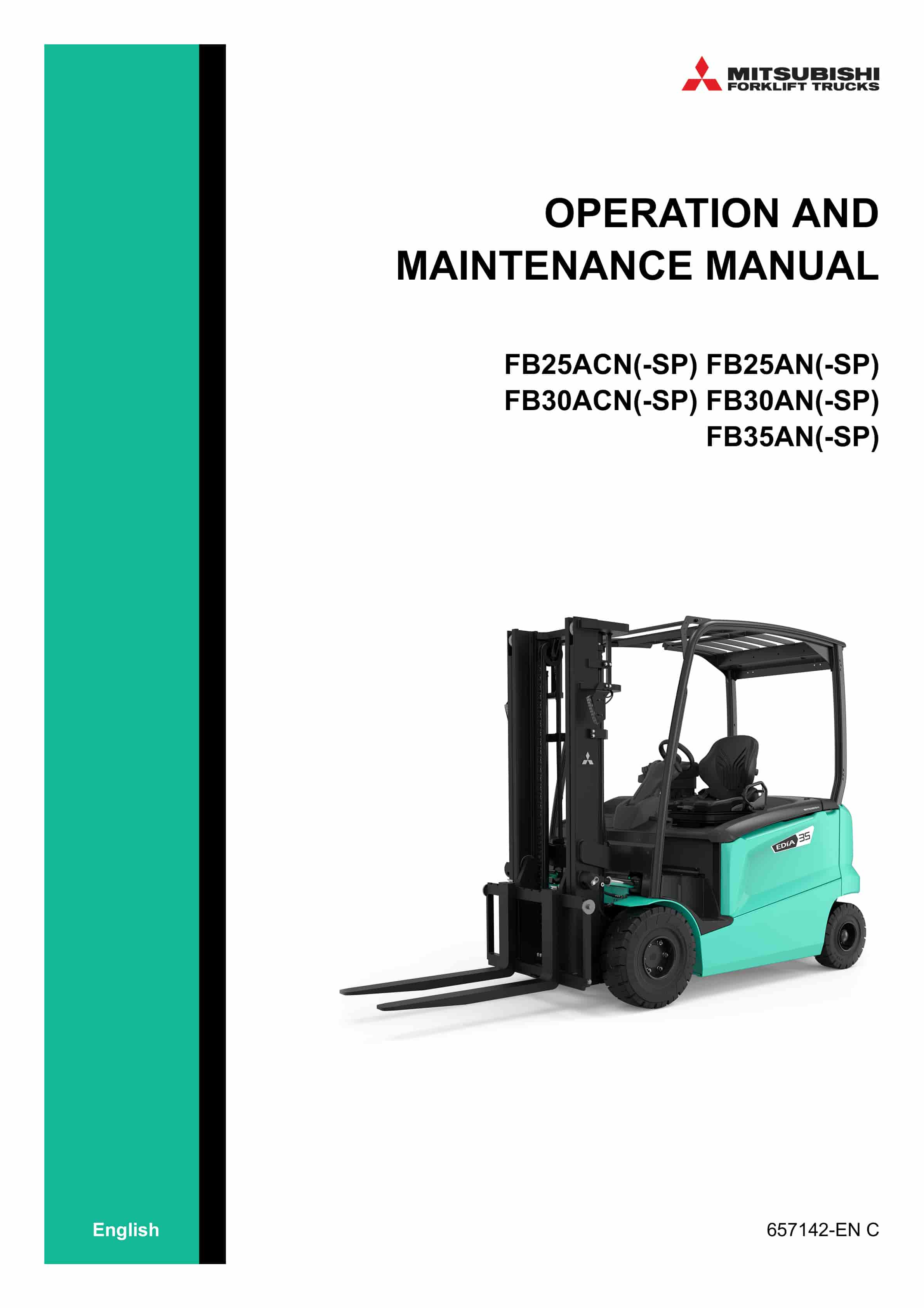
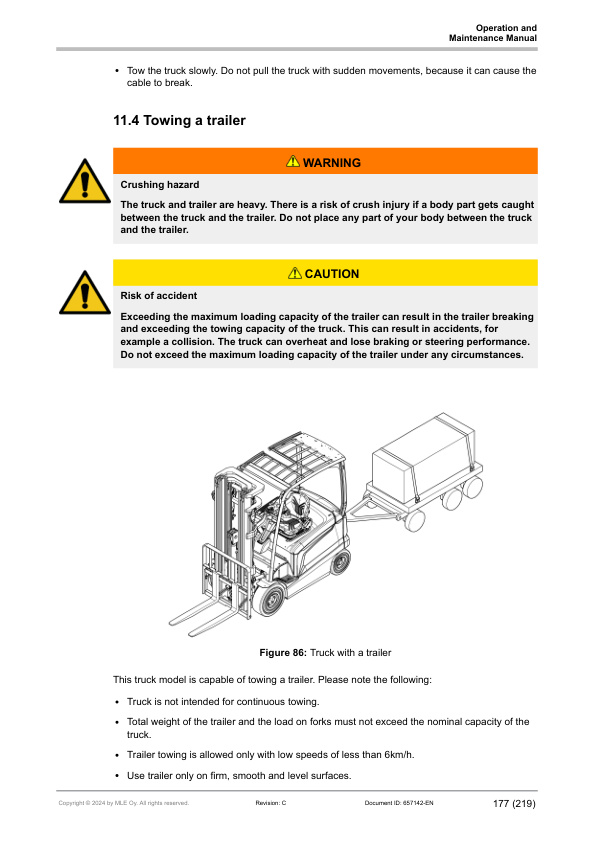
Mitsubishi FB25ACN(-SP), FB25AN(-SP), FB30ACN(-SP), FB30AN(-SP), FB35AN(-SP) Operation and Maintenance Manual 657142 EN C
$30.00
- Type Of Manual: Operation and Maintenance Manual
- Manual ID: 657142
- Language: EN C
- Number of Pages: 221
- Size: 21.6MB
- Format: PDF
Product details
-
Model List:
- FB25ACN(-SP), FB25AN(-SP), FB30ACN(-SP), FB30AN(-SP), FB35AN(-SP)
- 1. Table of contents
- 2. Foreword
- 3. About this manual
- 3.1. Safety-related signs
- 3.2. Safety symbols
- 3.3. Units
- 3.4. Interactive links
- 4. Safety instructions
- 4.1. Safety requirements for industrial trucks
- 4.2. Electromagnetic compatibility
- 4.3. Non-ionizing radiation
- 4.4. Noise
- 4.5. Vibration
- 4.6. Visibility
- 4.7. Seat belt
- 4.8. Wheels
- 4.9. Instructions for site supervision
- 4.10. Occupational safety
- 4.11. Requirements for the truck operator
- 4.12. Emergency procedures
- 4.13. Stability
- 4.13.1. Center of gravity
- 4.13.2. Capacity of the lift truck
- 4.14. Work at dangerous premises
- 4.15. Repairs and structural modifications
- 5. Operating environment
- 5.1. General safety instructions
- 5.2. Surface requirements
- 5.3. Bearing capacity of the floor
- 5.4. Operating temperature
- 5.5. Wind forces
- 5.6. Lighting
- 5.7. Driveways
- 5.8. Free space
- 5.9. Ramps
- 5.10. Dock levellers
- 5.11. Elevators
- 6. General information
- 6.1. Intended use
- 6.2. Prohibited use
- 6.3. Identification plates and stickers
- 7. Main components
- 7.1. Overhead guard
- 7.2. Cabin
- 7.2.1. Manual holder
- 7.2.1.1. Open the manual holder
- 7.3. Operators seat
- 7.4. Operating devices
- 7.4.1. Steering wheel
- 7.4.2. Armrest
- 7.4.2.1. Armrest with fingertip controls
- 7.4.2.2. Ergologic armrest
- 7.4.2.3. Dual joystick armrest
- 7.4.2.4. Control functions
- 7.4.3. Manual levers
- 7.4.4. Side control panel
- 7.5. Display panel
- 7.5.1. Display control buttons
- 7.5.2. Truck display
- 7.5.2.1. Main view of the truck display
- 7.5.2.2. Truck display icons
- 7.5.2.3. Seat belt indicator
- 7.5.2.4. Battery discharge indicator
- 7.5.2.5. Center information area
- 7.5.2.6. Parking brake indicator
- 7.5.2.7. Tilt angle icons
- 7.5.2.8. Reel clamp icons
- 7.5.2.9. Traction and hydraulic interlocking icons
- 7.5.2.10. Load weight indicator and overload notification
- 7.5.2.11. Message area
- 7.5.2.12. Selection view
- 7.5.2.13. Menu hierarchy
- 7.6. Pedals
- 7.6.1. Accelerator pedal and brake pedal
- 7.6.2. Accelerator pedal, operator presence pedal and brake pedal
- 7.6.3. Dual pedal and brake pedal
- 7.6.4. Pedal functionalities
- 7.7. Lifting carriage
- 7.7.1. Integrated sideshift carriage
- 7.7.2. Integrated fork positioner with sideshift
- 7.8. Mast
- 7.8.1. Automated performance reduction based on lift height
- 8. Before operation
- 8.1. Daily maintenance before operation
- 8.2. Adjustments before operation
- 8.2.1. Adjust the armrest
- 8.2.2. Adjust the operators seat (MSG65)
- 8.2.2.1. Adjust the operators seat suspension
- 8.2.2.2. Adjust the backrest
- 8.2.2.3. Adjust the seat armrest
- 8.2.2.4. Adjust the seat distance
- 8.2.2.5. Adjust the lumbar support
- 8.2.3. Adjust the steering wheel
- 8.2.4. Adjust the heater (cabin truck)
- 8.3. Inspect the seat belt
- 8.4. Fasten the seat belt
- 9. Operating instructions
- 9.1. How to operate the truck
- 9.1.1. How to enter and exit the operators compartment
- 9.1.2. Operating position
- 9.1.3. Operating direction
- 9.1.4. Cabin truck
- 9.1.4.1. Emergency exits (cabin truck)
- 9.1.4.2. Open the operator door
- 9.1.4.3. Open the rear window
- 9.1.4.4. Open the side window
- 9.2. How to activate the truck
- 9.2.1. Operation modes
- 9.2.2. Activate the truck with a PIN code
- 9.2.3. Set the power of the truck to OFF
- 9.2.4. Program a new PIN code
- 9.3. Brakes
- 9.3.1. Service brake
- 9.3.2. Parking brake
- 9.4. How to move the truck
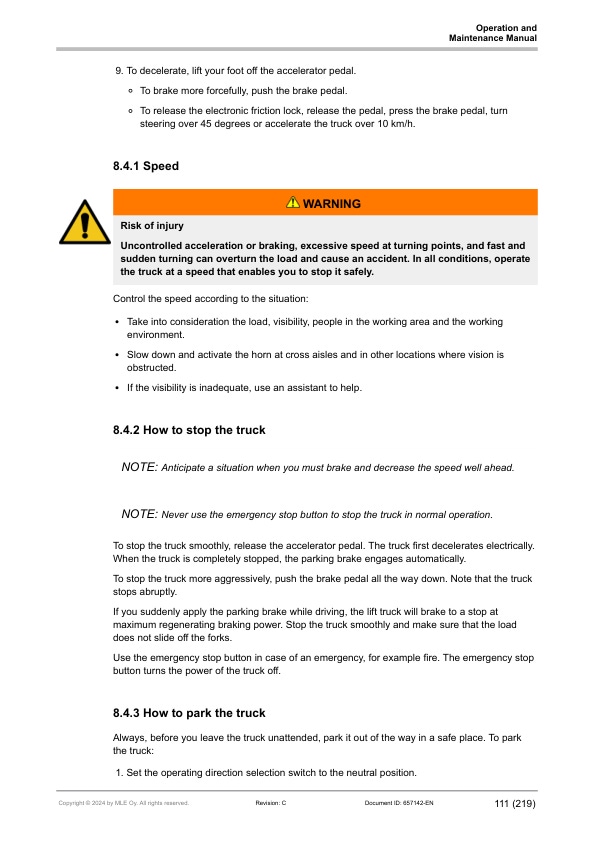
- 9.4.1. Speed
- 9.4.2. How to stop the truck
- 9.4.3. How to park the truck
- 9.5. General operating instructions
- 9.5.1. Traffic rules
- 9.5.2. How to avoid accidents
- 9.5.3. In case the truck tips over
- 9.5.4. In case a wheel is damaged
- 9.6. How to handle loads
- 9.6.1. Lifting capacity
- 9.6.2. How to stack
- 9.6.3. How to unstack
- 9.6.4. Broken pallets
- 9.7. How to adjust the position of the forks
- 10. Batteries
- 10.1. Lead-acid batteries
- 10.1.1. Safety with lead-acid batteries
- 10.1.2. General information
- 10.1.3. Requirements for battery charging areas
- 10.1.4. Charge the battery
- 10.1.4.1. After the battery is charged
- 10.1.5. Battery maintenance
- 10.1.5.1. General maintenance
- 10.1.5.2. How to clean the battery
- 10.1.5.3. Daily maintenance
- 10.1.5.4. Weekly maintenance
- 10.1.5.5. Monthly maintenance
- 10.1.5.5.1. Measure the specific gravity of the battery
- 10.1.5.6. Annual maintenance
- 10.1.6. Malfunctions
- 10.1.7. Acquire a new battery
- 10.1.8. Storage
- 10.2. Lithium-ion batteries
- 10.2.1. General information
- 10.2.2. Safety signs
- 10.2.3. Requirements for battery charging areas
- 10.2.4. Charge the battery
- 10.2.4.1. Recharging a lithium-ion battery
- 10.2.4.2. Before charging
- 10.2.4.3. After charging
- 10.2.4.4. Opportunity charging
- 10.2.4.5. Battery balancing
- 10.2.5. Battery maintenance
- 10.2.5.1. Examine the battery
- 10.2.5.2. How to clean the battery
- 10.2.5.3. Malfunctions
- 10.2.5.4. Service and repair
- 10.2.6. Acquire a new battery
- 10.2.7. Storage
- 10.3. Replace the battery
- 10.3.1. General safety instructions
- 10.3.2. Replace the battery with a lifting device
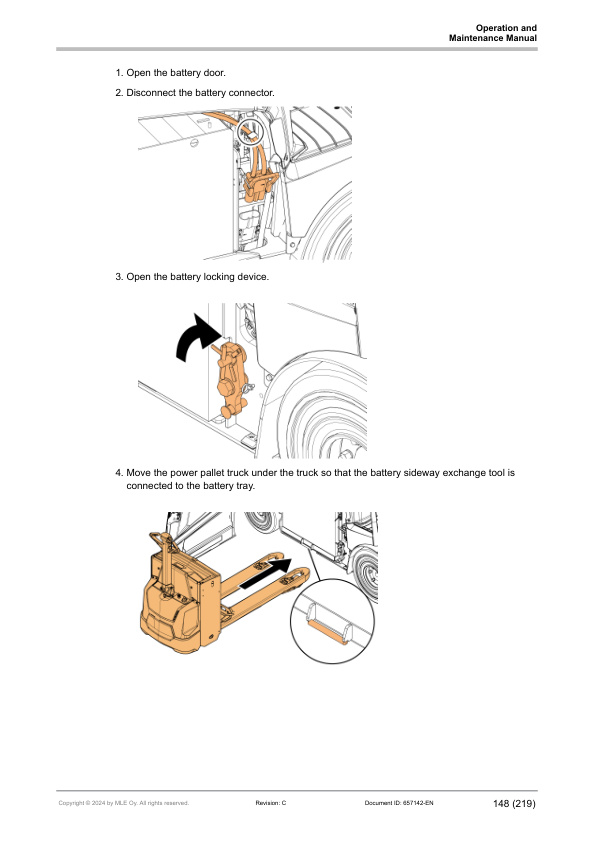
- 10.3.3. Remove the battery with the battery sideway exchange tools
- 10.3.4. Install a battery with the battery sideway exchange tools
- 11. Maintenance
- 11.1. Safety instructions for maintenance
- 11.2. Truck covers
- 11.2.1. Open the battery door
- 11.2.2. Open the battery cover
- 11.2.3. Remove the side plate
- 11.2.4. Remove the right side cover
- 11.2.5. Open the roof cover (cabin trucks)
- 11.2.6. Remove the pedal plate
- 11.3. Fuses
- 11.3.1. Location of the fuses in the electric panel
- 11.3.2. Location of the fuses for optional equipment
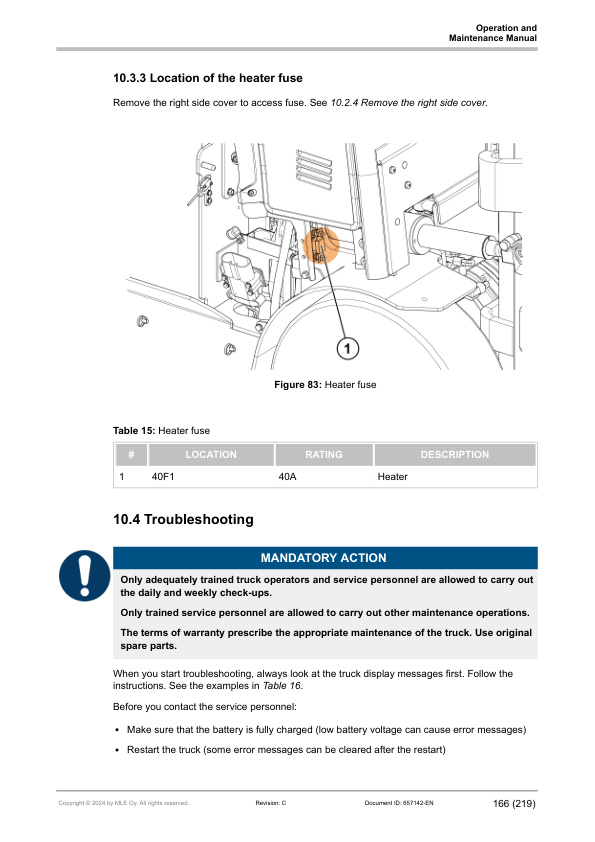
- 11.3.3. Location of the heater fuse
- 11.4. Troubleshooting
- 11.4.1. Troubleshooting case examples
- 11.4.2. Traction
- 11.4.3. Brakes
- 11.4.4. Hydraulics
- 11.4.5. Steering
- 11.4.6. Charging
- 11.5. How to clean the truck
- 11.6. Scheduled maintenance
- 11.6.1. Daily maintenance
- 11.6.2. Monthly maintenance
- 11.6.3. Annual (or 1,000 h) maintenance
- 11.7. Oils and lubricants
- 11.7.1. Mast chains
- 11.7.2. Mast channels
- 11.8. Hazardous waste and disposal
- 11.9. Order spare parts
- 12. Transportation and storage
- 12.1. Lifting the truck
- 12.1.1. Jack points
- 12.1.2. Hoist points
- 12.2. Towing connection
- 12.3. Towing the truck
- 12.4. Towing a trailer
- 12.4.1. Towing capacity
- 12.4.2. Connect the trailer to the truck
- 12.4.3. Disconnect the trailer from the truck
- 12.5. Transportation
- 12.6. Storage
- 12.6.1. Return the truck to operation
- 12.7. Decommissioning
- 13. Options
- 13.1. Options overview
- 13.2. Tilt angle sensor / display status indication
- 13.3. Battery sideway exchange tools
- 13.3.1. Requirements for power pallet trucks used to move batteries of counterbalance trucks
- 13.3.2. Install the battery sideway exchange tool
- 13.4. Sun guard
- 13.5. Heater
- 13.5.1. Examine the air filters of the heater
- 13.6. Windshield washer (cabin truck)
- 13.6.1. Replace the windshield wiper
- 13.6.2. Windshield washer tank
- 14. Technical specifications
- 14.1. Dimensions
- 14.2. Technical data
- 14.3. Mast availability and weight charts
- 15. Declaration of Conformity
- 16. Stickers
- 17. Truck display languages
- 18. Maintenance check list
- 19. Brake release
- 20. Notes
Related products
-
Mitsubishi ESR, EDR, ESS Reach Trucks Operation and Maintenance Manual WEBU6685-02
$30.00 Add to cart -
Mitsubishi FB16KT, FB18KT, FB20KT Operation and Maintenance Manual 99710-79110
$30.00 Add to cart -
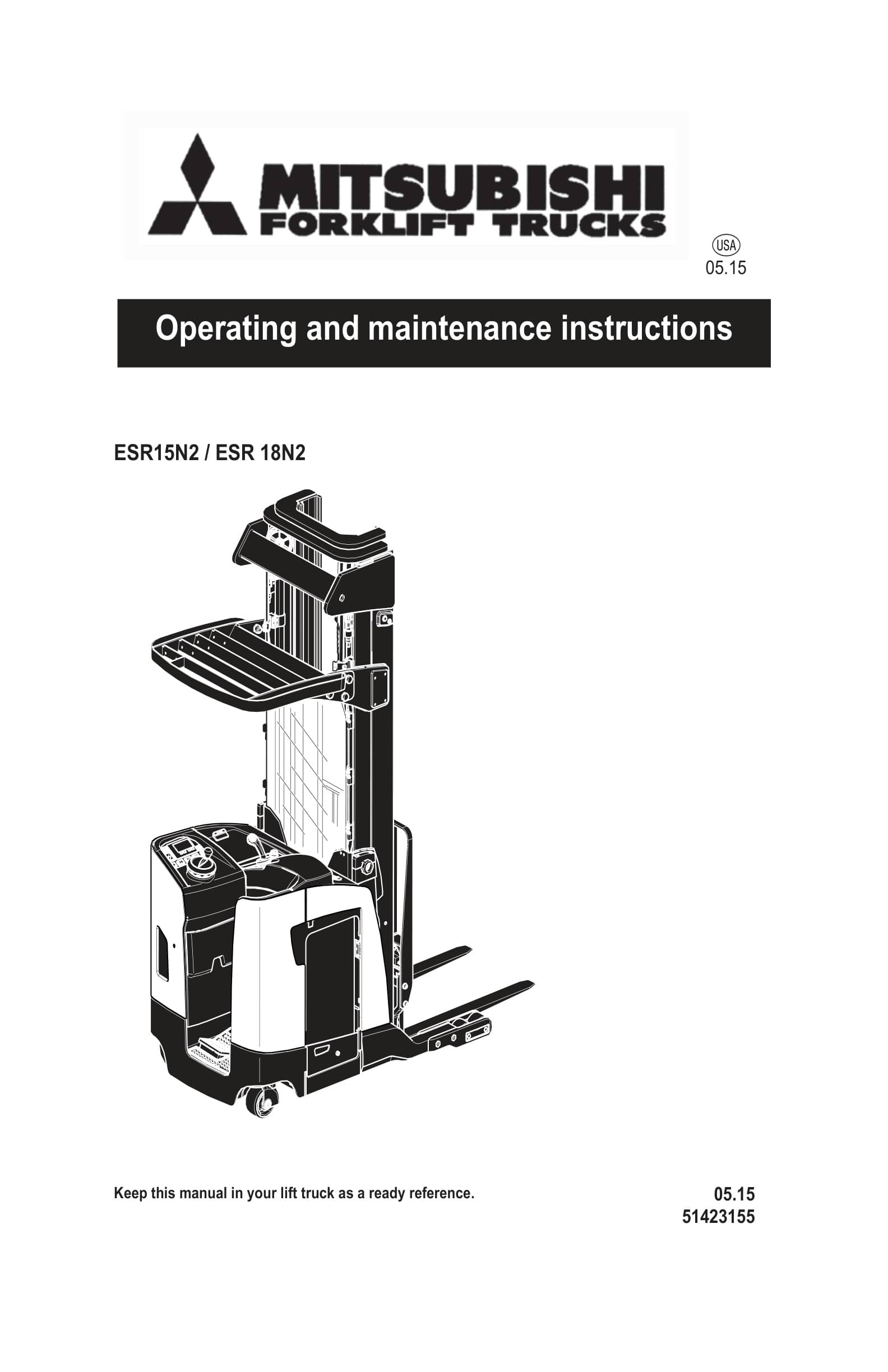
Mitsubishi ESR15N2, ESR 18N2 Operating and Maintenance Instructions 51423155
$30.00 Add to cart -
Mitsubishi FB16N, FB18N, FB20CN Forklift Trucks Operation and Maintenance Manual 99750-56100
$30.00 Add to cart -
Mitsubishi FB10-12-15KRT PAC Operation and Maintenance Manual 99750-5G100
$30.00 Add to cart


