

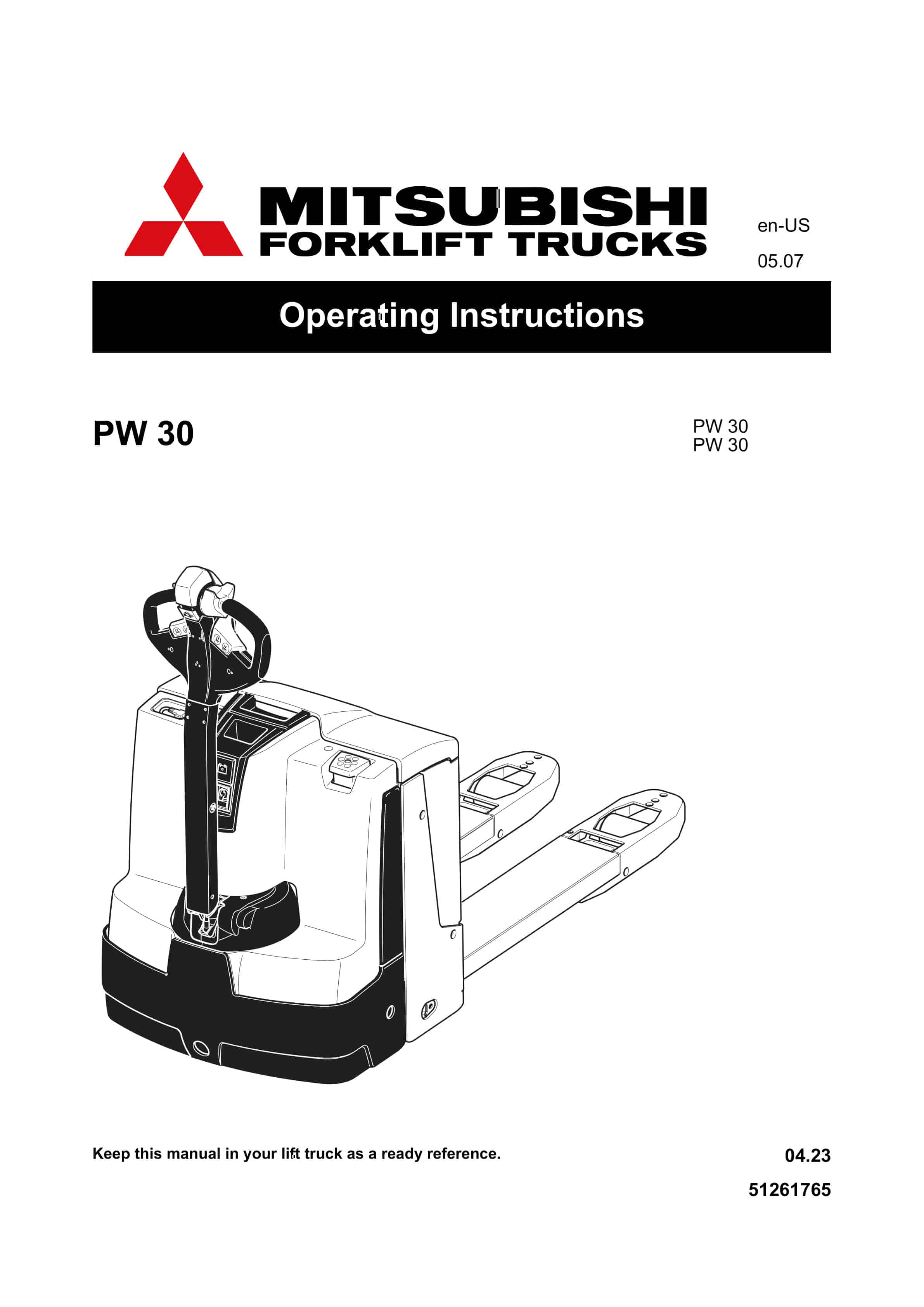
Mitsubishi PW30 Operating Instructions 51261765
$30.00
- Type Of Manual: Operating Instructions
- Manual ID: 51261765
- Number of Pages: 130
- Size: 4.1MB
- Format: PDF
Product details
-
Model List:
- PW30
- 1. Foreword
- 2. Table of contents
- 3. A Compliance with regulations – Legal requirements and common sense
- 4. B Recognition and avoidance of risks
- 5. C Proper use
- 5.1. General
- 5.2. Proper use
- 5.3. Permissible usage conditions
- 5.4. Duties of the operator
- 5.5. Installing attachments and/or attaching accessory parts
- 5.6. Nameplate
- 5.7. General instructions for operating personnel and the owner
- 6. D Description of vehicle
- 6.1. Description of use
- 6.2. Description of components and functions
- 6.2.1. Overview of components
- 6.2.2. Functional description
- 6.3. Technical data
- 6.3.1. Performance data
- 6.3.2. Dimensions
- 6.3.3. Weights
- 6.3.4. Tires
- 6.3.5. US standards
- 6.3.6. Usage conditions
- 6.3.7. Electrical requirements
- 6.4. Position of signs and nameplates
- 6.4.1. Nameplate
- 7. E Operation
- 7.1. Important general issues affecting safe operation and use of the industrial truck
- 7.1.1. Training, certification, and approval to operate the industrial truck
- 7.1.2. Damage and repairs to the industrial truck
- 7.1.3. Aspects related to loading
- 7.1.4. Operating environment
- 7.1.5. Safety devices and warning labels
- 7.2. Description of indicators and controls
- 7.2.1. Battery discharge indicator
- 7.3. Starting the industrial truck
- 7.3.1. Safety regulations for industrial truck operators
- 7.3.2. General operation of the industrial truck
- 7.3.3. Ensuring that the industrial truck is properly equipped
- 7.3.4. Safe loading and transporting
- 7.3.5. Preventing overturning and tipping
- 7.3.6. Supervising and securing the industrial truck
- 7.3.7. Lifting people
- 7.3.8. Daily checks and actions before startup
- 7.3.9. Preparing for operation
- 7.3.10. Switching off and securing the industrial truck
- 7.3.11. Battery discharge monitor
- 7.4. Operation of the industrial truck
- 7.4.1. Safety regulations applicable when operating the industrial truck
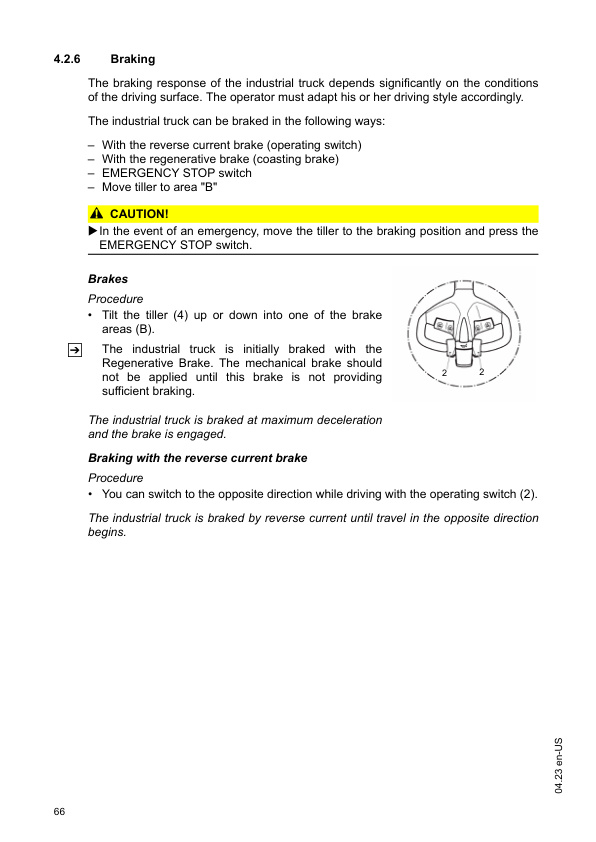
- 7.4.2. EMERGENCY STOP, driving, steering, and braking
- 7.4.3. Picking up, transporting, and putting down load units
- 7.5. Moving the industrial truck without independent drive
- 7.6. Optional equipment
- 7.6.1. Emergency mode with service key GF60
- 7.6.2. CanCode keypad
- 7.6.3. Setting the drive parameter with CanCode
- 7.6.4. Parameters
- 7.6.5. CanDis instrument display
- 7.6.6. ISM access module ()
- 8. F Battery – maintenance, charging, and changing
- 8.1. Safety instructions for handling acid-filled batteries
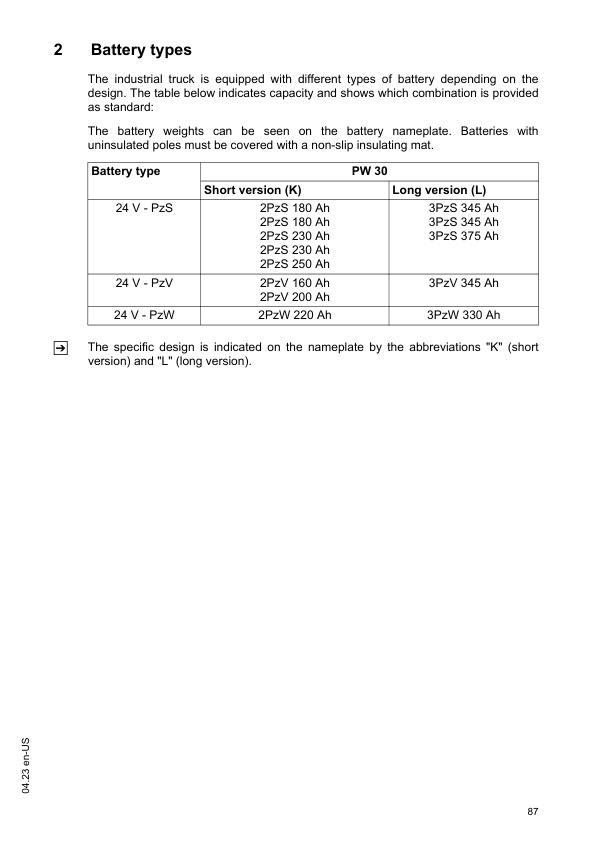
- 8.2. Battery types
- 8.3. Uncovering the battery
- 8.4. Charging the battery
- 8.4.1. Charging the battery with a stationary charger
- 8.4.2. Charging the battery with an integrated charger
- 8.5. Removing and installing the battery
- 8.5.1. Replacing the battery (lifting up)
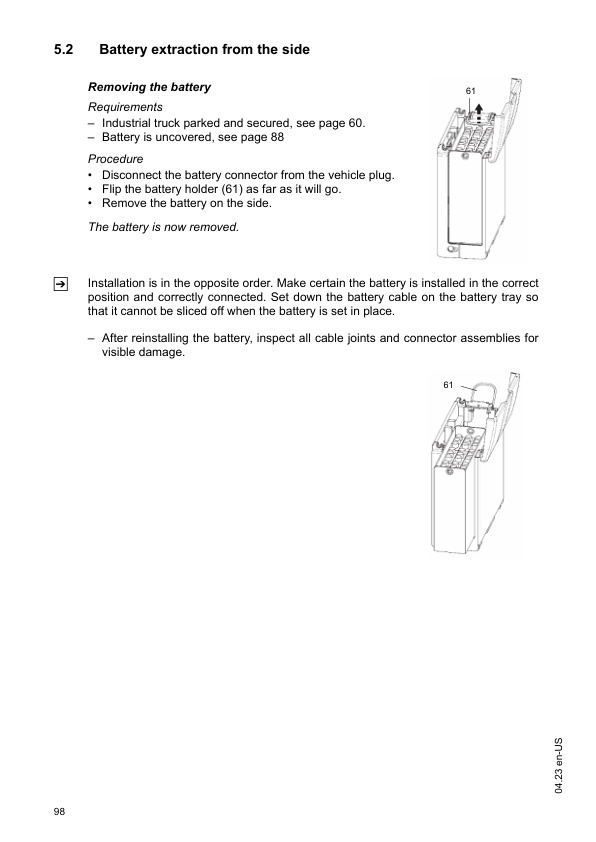
- 8.5.2. Battery extraction from the side
- 9. G Industrial truck maintenance and troubleshooting
- 9.1. Operating safety and environmental protection
- 9.2. Safety regulations for maintenance
- 9.3. Consumables and lubrication chart
- 9.3.1. Handling consumables safely
- 9.3.2. Lubrication chart
- 9.3.3. Consumables
- 9.4. Description of maintenance and servicing jobs
- 9.4.1. Preparing the industrial truck for maintenance and servicing
- 9.4.2. Removing the front cover
- 9.4.3. Remove the drive cover.
- 9.4.4. Tightening the wheel nuts
- 9.4.5. Check transmission oil level
- 9.4.6. Checking the electrical fuses
- 9.4.7. Restarting the industrial truck after maintenance and servicing work
- 9.5. Extended shutdown of the industrial truck
- 9.5.1. Actions required before longterm storage
- 9.5.2. Actions to be taken during decommissioning
- 9.5.3. Restarting the industrial truck after shutdown
- 9.6. Safety check after time and unusual events
- 9.7. Permanent decommissioning and disposal
- 9.8. Troubleshooting
- 9.8.1. Industrial truck does not move
- 9.8.2. Load cannot be raised
- 10. H Transport and initial startup
- 10.1. Handling by crane
- 10.2. Transport
- 10.3. Initial startup
- 11. I Maintenance and inspection
- 11.1. Contents of the Maintenance PW 30
- 11.1.1. Operator
- 11.1.2. Customer service
Related products
-
Mitsubishi FB10-25H Operation and Maintenance Manual 99750-11110
$30.00 Add to cart -
Mitsubishi FB10CB-35CB, FB20-25LCB Forklift Trucks Operation and Maintenance Manual OMFEM-M22C0-200
$30.00 Add to cart -
Mitsubishi FB14-20A(C)NT, FB16-20A(C)N Operation and Maintenance Manual 654390 EN A
$30.00 Add to cart -
Mitsubishi ESR15N2, ESR 18N2 Operating and Maintenance Instructions 51423155
$30.00 Add to cart -
Mitsubishi FB13-20TCB, FB16-20TBCB Operation and Maintenance Manual 99750-27100
$30.00 Add to cart


NT,%20FB16-20A(C)N%20Operation%20and%20Maintenance%20Manual%20654390%20EN%20A&url=https://ownersmanualpdf.net/docs/mitsubishi-fb14-20acnt-fb16-20acn-operation-and-maintenance-manual-654390-en-a/&media=https://ownersmanualpdf.net/wp-content/uploads/2025/10/mitsubishi-fb14-20acnt-fb16-20acn-operation-and-maintenance-manual-654390-en-a-1.jpg)

