

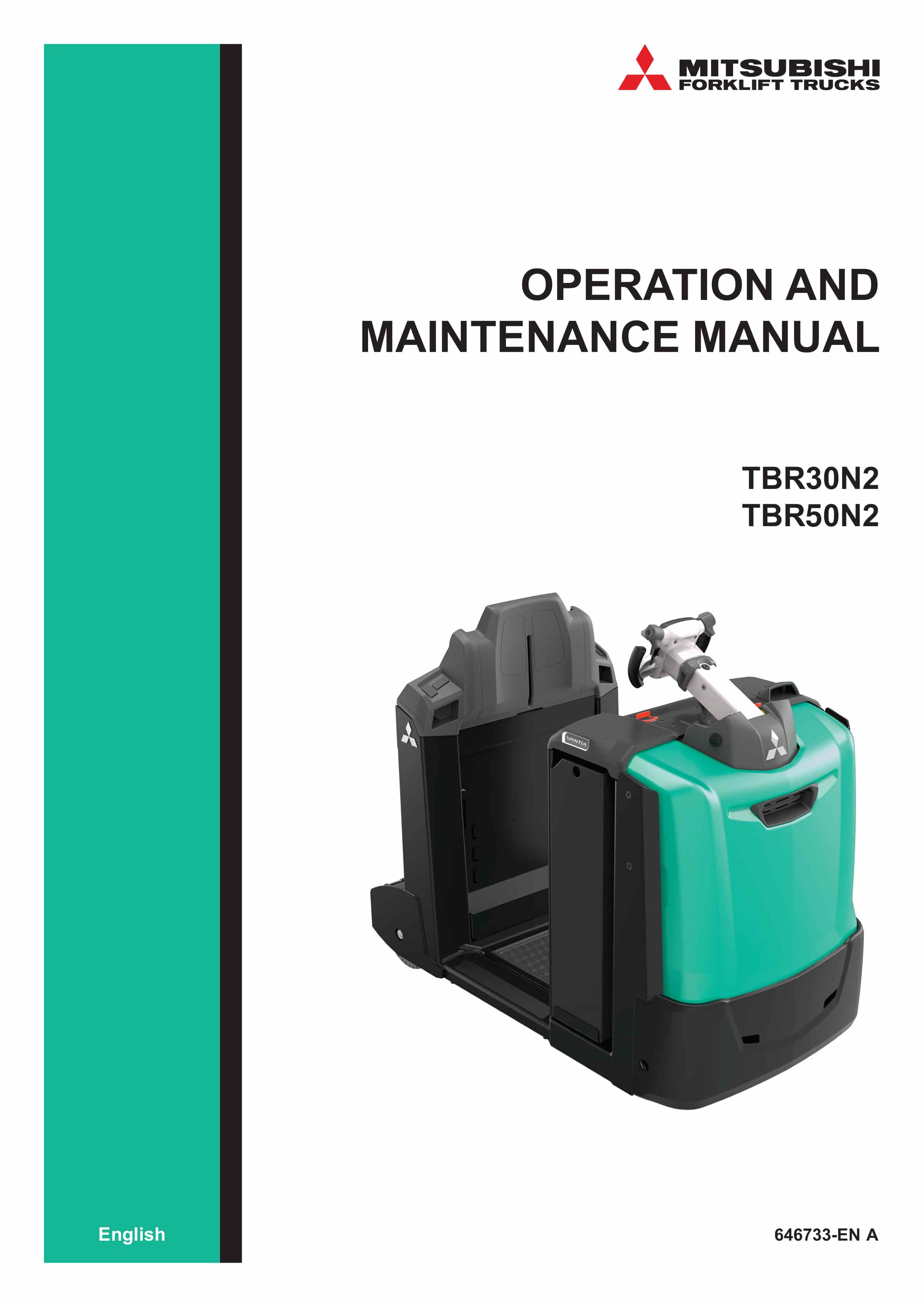
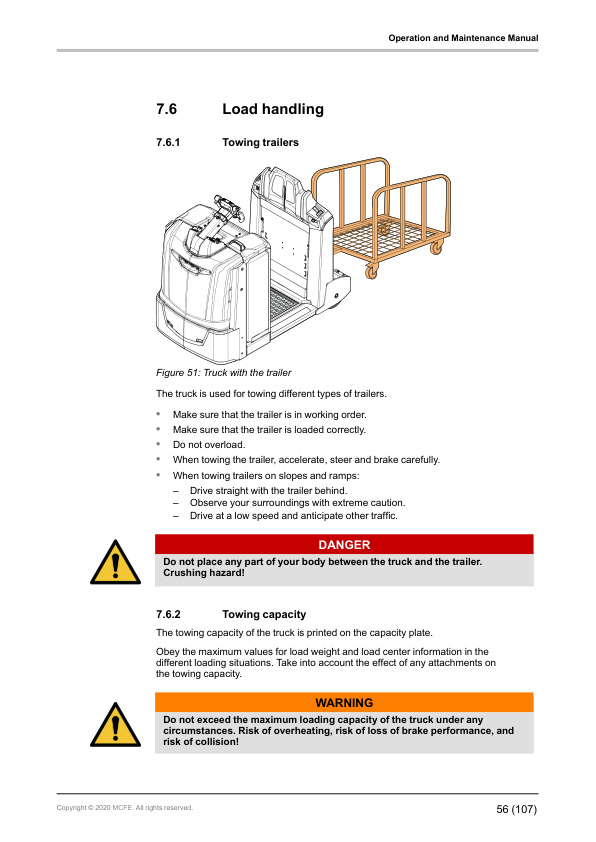
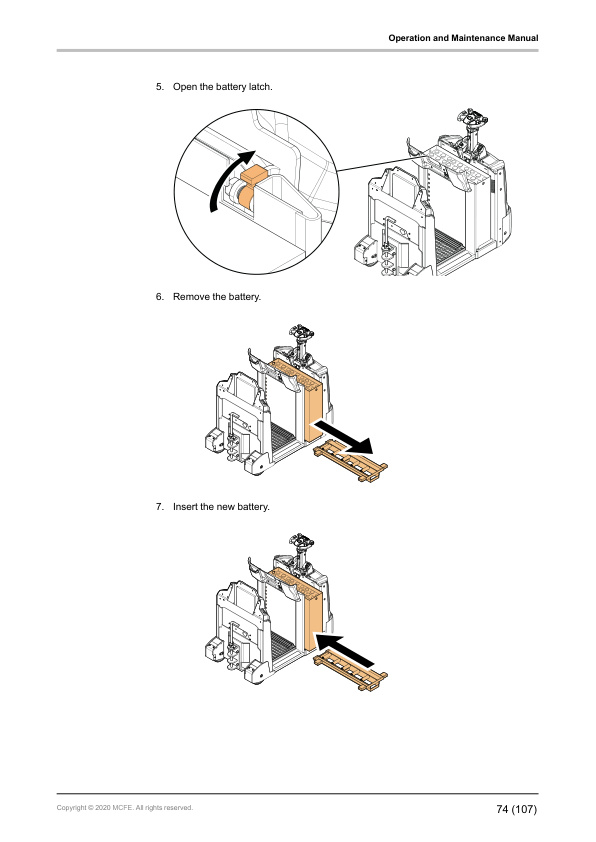
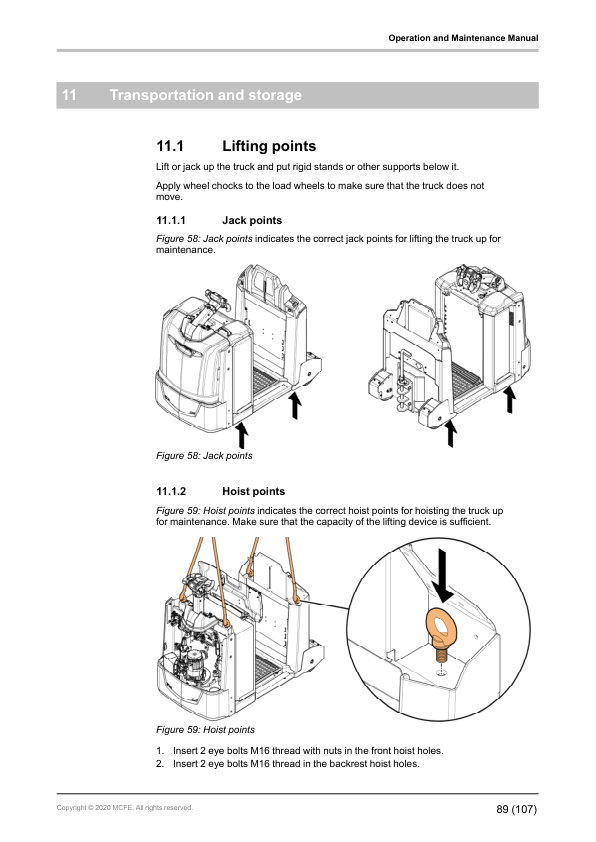
Mitsubishi TBR30N2, TBR50N2 Operation and Maintenance Manual 646733 EN A
$30.00
- Type Of Manual: Operation and Maintenance Manual
- Manual ID: 646733
- Language: EN A
- Number of Pages: 110
- Size: 15.5MB
- Format: PDF
Product details
-
Model List:
- TBR30N2, TBR50N2
- 1. Foreword
- 2. How to read this manual
- 2.1. Safety-related signs
- 2.2. Symbols and abbreviations
- 2.3. Interactive links
- 3. Safety instructions
- 3.1. Safety requirements for industrial trucks
- 3.2. Electromagnetic compatibility
- 3.3. Non-ionizing radiation
- 3.4. Noise
- 3.5. Vibration
- 3.6. Instructions for site supervision
- 3.7. Occupational safety
- 3.8. Requirements for the truck operator
- 3.9. Emergency procedures
- 3.10. Stability
- 3.10.1. Center of gravity
- 3.10.2. Capacity of the truck
- 3.11. Work at dangerous premises
- 3.12. Repairs and structural modifications
- 4. Operating environment
- 4.1. Surface requirements
- 4.2. Bearing capacity of the floor
- 4.3. Operating temperature
- 4.4. Wind forces
- 4.5. Lighting
- 4.6. Driveways
- 4.7. Free space
- 4.8. Ramps
- 4.9. Loading bridges
- 4.10. Elevators
- 5. General information
- 5.1. Intended use
- 5.2. Prohibited use
- 5.3. Identification plates on the truck
- 5.4. Overview of the truck
- 5.4.1. Safety devices
- 5.4.2. Battery compartment
- 5.4.3. Operator compartment
- 5.4.3.1. Operator presence sensing platform
- 5.4.3.2. Operating devices
- 5.4.3.3. Control panel
- 5.4.3.3.1. Operation modes
- 5.4.3.3.2. Truck display
- 5.4.3.3.3. Standard display
- 5.4.3.3.4. Keypad for standard display (option)
- 5.4.3.3.5. Color display (option)
- 5.4.3.3.6. Display control buttons
- 5.4.3.3.7. Hierarchy of the truck display menus
- 5.4.3.3.8. Main view of the truck display
- 5.4.3.3.9. Truck display icons
- 5.4.3.3.10. Battery discharge indicator
- 5.4.3.3.11. Center information area
- 5.4.3.3.12. Parking brake indicator
- 5.4.3.3.13. Message area
- 5.4.3.3.14. Selection view
- 5.4.3.4. Multifunctional steering wheel
- 5.4.3.5. Backrest
- 5.4.3.5.1. Seat (option)
- 5.4.3.5.2. Optional controls in the backrest
- 5.4.3.6. Towing devices
- 5.4.3.6.1. Manual towing device
- 5.4.3.6.2. Automatic towing device (option)
- 6. Before operation
- 6.1. Daily maintenance before operation
- 6.2. Adjust the steering wheel
- 6.3. Adjust the seat (option)
- 7. Operating instructions
- 7.1. General operating instructions
- 7.1.1. Traffic rules
- 7.1.2. How to avoid accidents
- 7.1.3. In case the truck turns over
- 7.2. How to operate the truck
- 7.2.1. How to enter and exit the operators compartment
- 7.2.2. Operating position
- 7.2.3. Operating direction
- 7.3. How to activate the truck
- 7.3.1. Activate the truck with a key switch
- 7.3.2. Deactivate the truck with a key switch
- 7.3.3. Activate the truck with a PIN code (option)
- 7.3.4. Deactivate the truck with a PIN code (option)
- 7.3.5. Program a new PIN code
- 7.4. Brakes
- 7.4.1. Service brake
- 7.4.2. Parking brake
- 7.5. Driving
- 7.5.1. General driving instructions
- 7.5.2. How to start the truck driving
- 7.5.3. Speed
- 7.5.4. How to stop the truck
- 7.5.5. How to park the truck
- 7.6. Load handling
- 7.6.1. Towing trailers
- 7.6.2. Towing capacity
- 7.6.3. Manual towing device
- 7.6.3.1. Connect the trailer to the truck
- 7.6.3.2. Disconnect the trailer from the truck
- 7.6.4. Automatic towing device (option)
- 7.6.4.1. Connect the trailer to the truck
- 7.6.4.2. Disconnect the trailer from the truck
- 7.6.5. Order picking
- 8. Batteries
- 8.1. General information
- 8.1.1. Safety signs for lead-acid batteries
- 8.2. Battery maintenance
- 8.2.1. How to clean batteries with a damp cleaning cloth
- 8.2.2. How to clean batteries with high-pressure cleaning equipment
- 8.2.3. Daily maintenance
- 8.2.4. Weekly maintenance
- 8.2.5. Monthly maintenance
- 8.2.6. Annual maintenance
- 8.2.7. Storage
- 8.2.8. Malfunctions
- 8.3. Requirements for the battery charging areas
- 8.4. Charge the battery
- 8.4.1. When the battery is charged
- 8.5. Measure the specific gravity of the battery
- 8.6. Acquire a new battery
- 8.7. Replace the battery
- 8.7.1. Replace the battery with a lifting device
- 8.7.2. Replace the battery with a battery replacement device (option)
- 9. Maintenance
- 9.1. Safety instructions for maintenance
- 9.2. Truck covers
- 9.2.1. Open the battery cover
- 9.2.2. Close the battery cover
- 9.2.3. Remove the front cover
- 9.3. Fuses
- 9.4. How to clean the truck
- 9.5. Daily maintenance
- 9.6. Weekly maintenance
- 9.7. Monthly maintenance
- 9.8. Annual maintenance
- 9.9. Oils and lubricants
- 9.9.1. Hydraulic oil for optional hydraulics
- 9.9.2. Transmission oil
- 9.10. Dangerous waste and disposal
- 10. Troubleshooting
- 10.1. General troubleshooting
- 10.2. Error messages on the display
- 10.3. Traction
- 10.4. Brakes
- 10.5. Hydraulics (option)
- 10.6. Steering
- 10.7. Charging
- 11. Transportation and storage
- 11.1. Lifting points
- 11.1.1. Jack points
- 11.1.2. Hoist points
- 11.2. Transportation
- 11.3. Storage
- 11.3.1. Return the truck to operation
- 11.4. Decommissioning
- 12. Options
- 13. Technical specifications
- 13.1. Dimensions
- 13.2. Technical data
- 14. EC Declaration of Conformity
- 15. A Stickers
- 16. B Truck display languages
- 17. C Maintenance check list
Related products
-
Mitsubishi EDR18L, ESR23L Operating Instructions 51923865
$30.00 Add to cart -
Mitsubishi ESR15N-24V – 23HN-36V, EDR13N-24V – 15HN-36V, ESS15N-24V – 20N-36V Operation and Maintenance Manual WEBU2900-03
$30.00 Add to cart -
Mitsubishi ESR15N2-ESR23N2, EDR18N2 Operating Instructions 51620220
$30.00 Add to cart -
Mitsubishi FB 40-50 (C) S Operating and Maintenance Instructions
$30.00 Add to cart -
Mitsubishi FB16KT, FB18KT, FB20KT Operation and Maintenance Manual 99710-79110
$30.00 Add to cart


%20S%20Operating%20and%20Maintenance%20Instructions&url=https://ownersmanualpdf.net/docs/mitsubishi-fb-40-50-c-s-operating-and-maintenance-instructions/&media=https://ownersmanualpdf.net/wp-content/uploads/2025/10/mitsubishi-fb-40-50-c-s-operating-and-maintenance-instructions-1.jpg)
